Accessing via Postman / GraphQL Schema examples
On this page
Browse the live GraphQL schema in Postman with your Bearer token, or fetch it programmatically with the gql Python client.
Postman
Once you have generated your Bearer token, you can access the GraphQL schema easily using Postman. Simply take your generated token, and create a new request using the GraphQL feature:
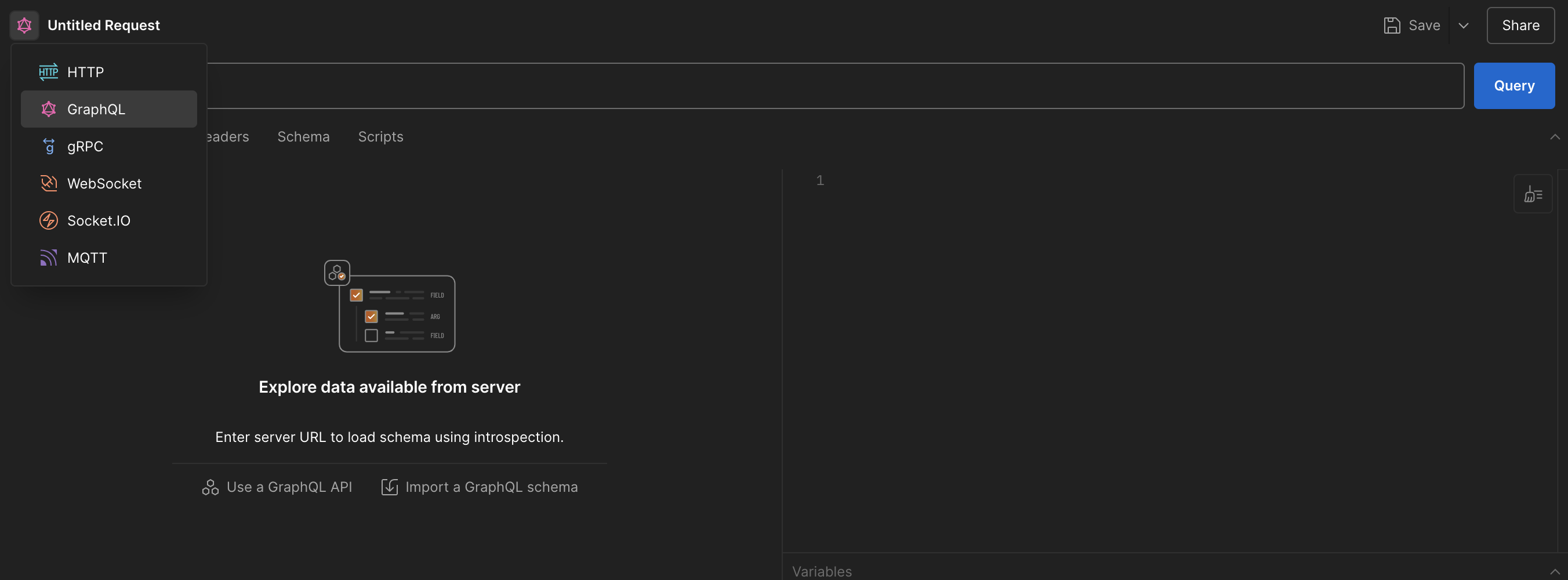
Select GraphQL from the dropdown.
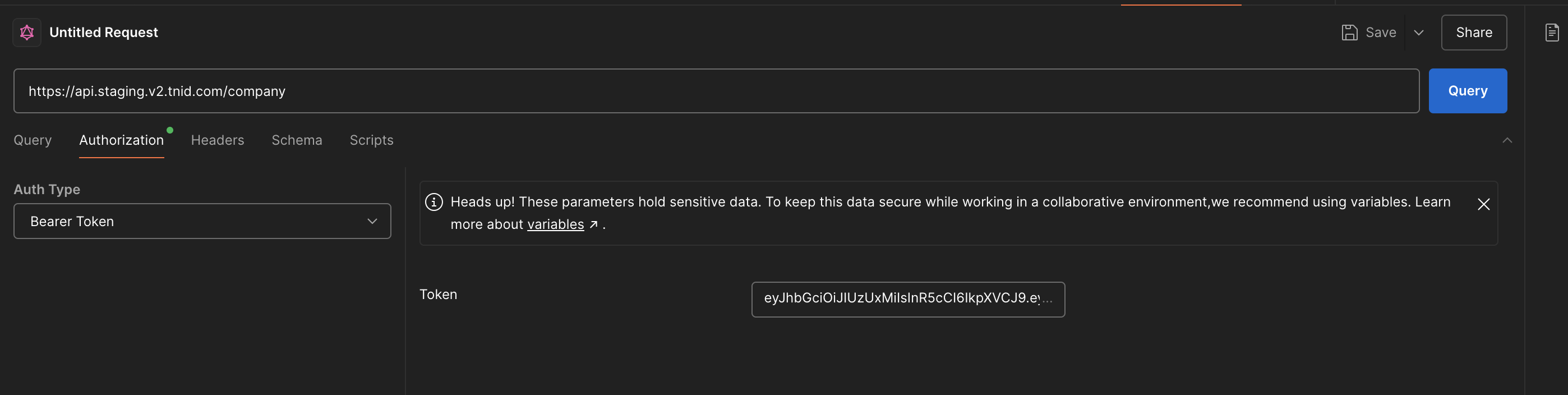
Authenticate using your generated Bearer token.
Load the GraphQL schema by entering the URL (https://api.staging.v2.tnid.com/company for the company endpoints, or /user for the user endpoints), and then press "Use GraphQL Introspection" on the Schema tab.
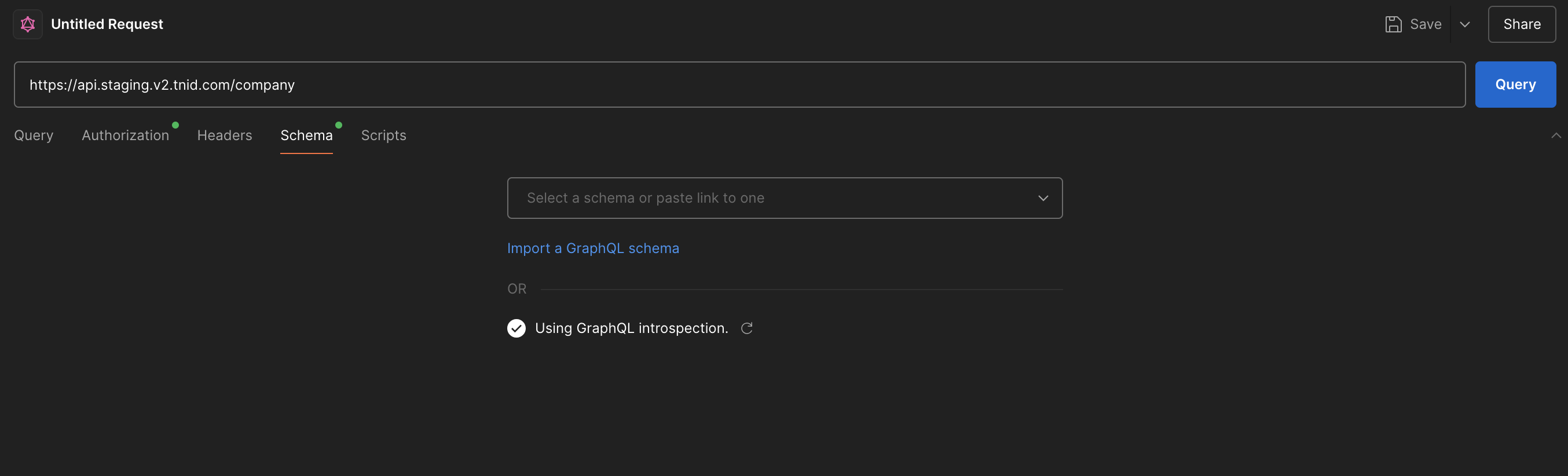
Press "Use GraphQL Introspection" to load the schema.
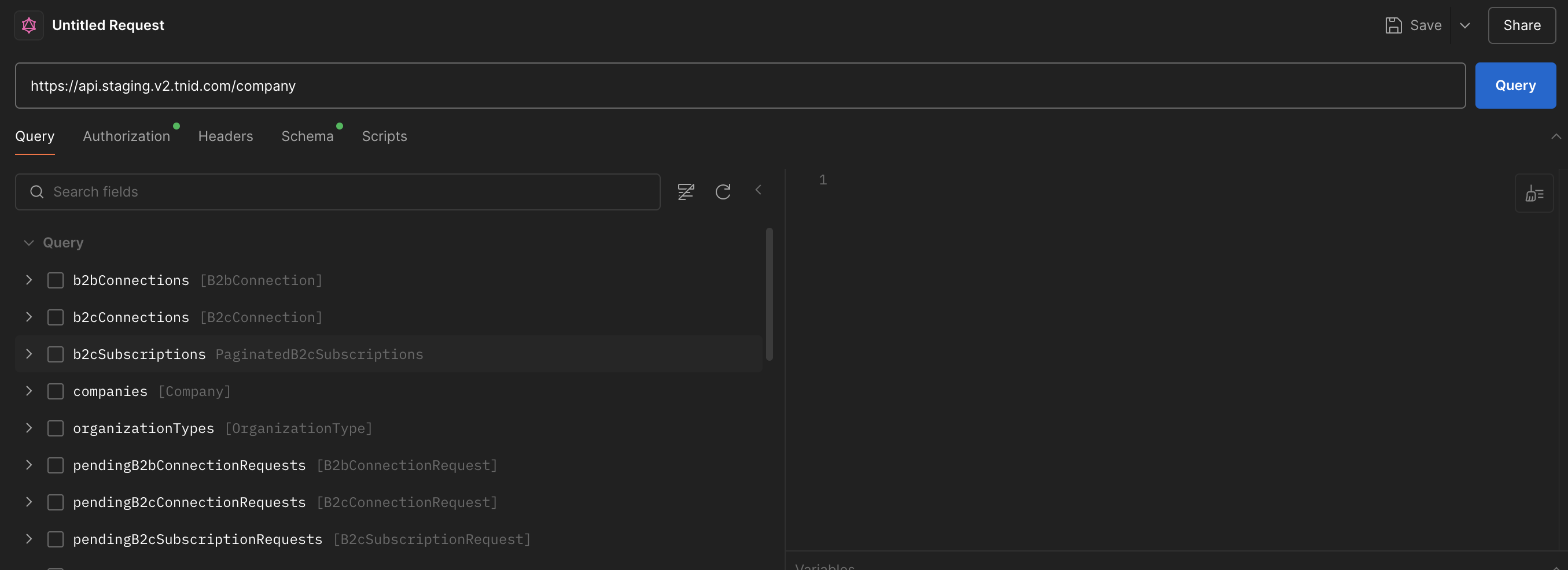
The schema should now be accessible via Postman. A rendered version of the same schema, with request and response examples for every operation, is published in the API Reference.
Example Code to access GraphQL Schema
Python
import pprint
from gql import gql, Client
from gql.transport.aiohttp import AIOHTTPTransport

# Please note that this basic example won't work if you have an asyncio event loop running.
# In some python environments (as with Jupyter which uses IPython) an asyncio event loop is created for you.
# In that case you should use instead https://gql.readthedocs.io/en/latest/async/async_usage.html#async-usage
def get_full_company_endpoint_schema(bearer_token):
    transport = AIOHTTPTransport(
        url="https://api.staging.v2.tnid.com/company",
        headers={"Authorization": f"Bearer {bearer_token}"}
    )
    # fetch_schema_from_transport=True makes gql run the introspection query for you
    client = Client(transport=transport, fetch_schema_from_transport=True)

    # Any valid query triggers the schema fetch
    query = gql("query ($name: String, $limit: Int) { companies(name: $name, limit: $limit) { id legalName } }")

    try:
        response = client.execute(query, {"name": "schema query", "limit": 1})
        print(f"Response OK: {response}")
        print("Schema: ")
        pprint.pp(client.introspection)
        return response
    except Exception as e:
        print(f"Exception: {e}")


def get_full_user_endpoint_schema(bearer_token):
    transport = AIOHTTPTransport(
        url="https://api.staging.v2.tnid.com/user",
        headers={"Authorization": f"Bearer {bearer_token}"}
    )
    client = Client(transport=transport, fetch_schema_from_transport=True)

    query = gql("query ($limit: Int) { spamReports(limit: $limit) { id } }")

    try:
        response = client.execute(query, {"limit": 1})
        print(f"Response OK: {response}")
        print("Schema: ")
        pprint.pp(client.introspection)
        return response
    except Exception as e:
        print(f"Exception: {e}")


# Example usage:
token = "your_company_token"
get_full_company_endpoint_schema(token)

# OR
# token = "your_user_token"
# get_full_user_endpoint_schema(token)